

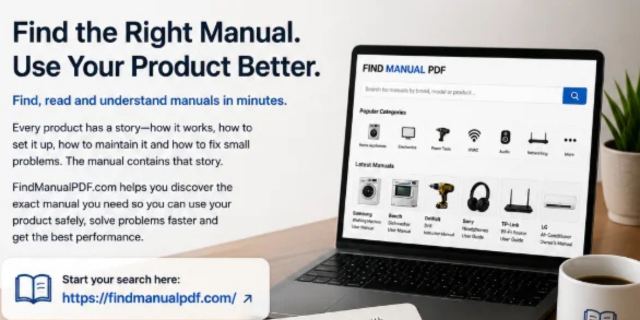
Every device has a learning curve. Some products are simple at first, but become confusing when a warning light appears, a setting changes, a part needs cleaning, or an error code shows on the display. A coffee machine may need descaling, a router may stop connecting, a heater may switch off unexpectedly, a washing machine may not drain, and a power tool may lose performance because the wrong accessory or battery is being used. In many of these situations, the user manual is the most practical place to start.
Online manuals are especially useful because they are searchable, easy to open on a phone or laptop, and available even when the original printed booklet has been lost. A good manual can help users understand setup steps, operating modes, maintenance requirements, safety warnings, troubleshooting tables, technical specifications, and product limitations. Instead of guessing, users can follow information written for the specific model they own.
Why online manuals are more useful than many people think
Many users only think about a manual when a product stops working. However, manuals are useful long before something breaks. They can help with the first setup, correct placement, safe installation, product registration, accessory selection, cleaning, storage, and seasonal maintenance. They can also help users compare products before buying, especially when purchasing second-hand equipment.
The key advantage of an online manual is speed. You do not need to search through drawers, old boxes, or paper folders. You can open the PDF, use the search function, and jump directly to the relevant section. This makes manuals much more practical than they used to be.
Find the exact model before reading instructions
The most important step is identifying the exact product model. A brand name alone is not enough. A manufacturer may sell many similar-looking products, and small differences in the model number can change the correct settings, parts, safety warnings, wiring diagrams, reset steps, or accessories.
The model number may be printed on a product label, rating plate, battery compartment, rear panel, underside, door frame, packaging, invoice, warranty card, or system settings screen. Copy the complete code exactly as shown. Letters, numbers, hyphens, slashes, and suffixes can matter. A missing character may lead to a manual for a similar but different device.
Use a structured manual catalog
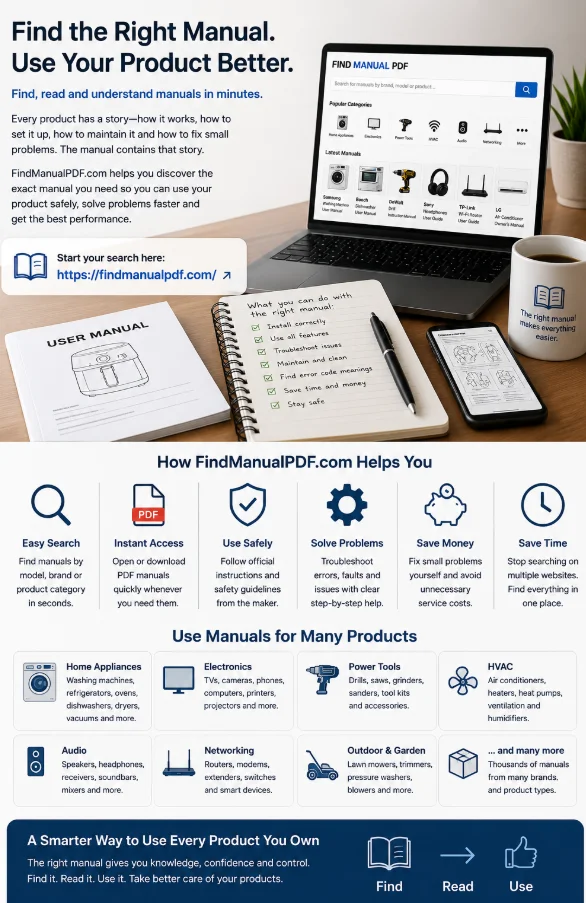
Searching the open web can be messy. Some results may lead to unrelated pages, outdated documents, confusing download buttons, or manuals for similar products. A structured catalog of user manuals can make the process easier by organizing documents by brand, product type, model, and category. This helps users reach the right guide faster and reduces the chance of using the wrong instructions.
This is useful for many types of products: home appliances, electronics, routers, speakers, heaters, air conditioners, garden equipment, tools, chargers, solar panels, cameras, monitors, and technical devices. When a product needs setup, troubleshooting, or maintenance, having a searchable manual available can save time and prevent unnecessary frustration.
Check the document type
Not every PDF is the same. A user manual explains everyday operation. An installation guide focuses on mounting, wiring, clearances, drainage, or first setup. A quick-start guide gives only the basic first steps. A service manual may contain procedures intended for trained technicians. A safety sheet explains warnings but may not include full operating instructions. A technical specification sheet lists data but may not explain troubleshooting.
Before relying on a document, check whether it matches your goal. If you want to install a device, look for the installation section. If you need to fix an error, find troubleshooting or alarm codes. If you want to clean or store equipment, search for maintenance. If you are buying used equipment, review accessories, dimensions, power requirements, and operating limits.
Search inside the PDF instead of reading everything
Long manuals can look intimidating, but you rarely need to read every page. Use the table of contents and the PDF search function. On most computers, Ctrl+F or Command+F opens search. On a phone or tablet, look for the magnifying glass icon.
Search for specific words such as “reset,” “error,” “filter,” “battery,” “charging,” “Wi-Fi,” “pairing,” “maintenance,” “cleaning,” “installation,” “drain,” “wiring,” “temperature,” “timer,” “storage,” or the exact code shown on the device. If the first search does not work, try similar terms. Manuals often use formal language, so “device does not start” may be used instead of “won’t turn on.”
Use manuals to avoid unnecessary repairs
Many problems that look serious have simple causes. A heater may stop because airflow is blocked. A router may need a restart or cable check. A washing machine may fail to drain because the filter is clogged. A speaker may not connect because it is not in pairing mode. A power tool may stop because the battery is hot or discharged.
A troubleshooting table helps users follow a logical path. It usually lists symptoms, possible causes, and recommended actions. This can prevent users from replacing a product that only needs cleaning, adjustment, charging, or a simple reset. It also helps users decide when a problem is beyond normal home maintenance.
Pay attention to safety boundaries
A manual can help users understand a product, but it does not make every repair safe. Some tasks are intended only for qualified technicians. This is especially true for electrical wiring, gas appliances, refrigerant systems, internal lithium batteries, industrial controls, high-voltage components, and sealed devices.
Safety warnings explain what users can check and what should be left to professionals. Cleaning a filter, replacing a remote battery, checking a cable, or restarting a device may be normal user maintenance. Opening a powered appliance, modifying wiring, handling refrigerant, or repairing internal electronics may be unsafe without training and proper tools.
Use manuals before buying second-hand products
A manual can help buyers avoid mistakes before spending money. If you are buying a used appliance, camera, speaker, router, heater, tool, garden machine, or technical component, the manual can reveal important details. You can check what accessories should be included, what power supply is required, how the product is installed, and what maintenance is expected.
This helps you ask better questions. Is the original charger included? Does the device need a special mounting bracket? Are filters, batteries, or replacement parts easy to identify? Does the product require professional installation? Are there error codes that should be tested before purchase? A manual gives you practical information before you commit.
Create a personal manual library
Once you find the correct manual, save it with a clear file name. A simple format works well: brand, model, product type, and document type. You can organize manuals into folders such as Appliances, Electronics, Tools, Audio, Networking, HVAC, Garden Equipment, Automotive, and Home Systems.
This small habit saves time later. If a device shows an error after a year, you will already have the correct guide. If a technician visits, you can provide the exact documentation. If you sell the product, you can share the manual with the buyer. A digital manual library turns scattered product information into something useful and easy to reuse.
Final thoughts
Online user manuals are practical tools for setup, troubleshooting, maintenance, safety, and smarter product decisions. The best results come from finding the exact model, choosing the correct document type, searching inside the PDF, reading the relevant section, and respecting safety warnings. Whether you are fixing a simple issue, preparing for installation, maintaining equipment, or checking a used product before purchase, the right manual can help you save time, avoid mistakes, and use your devices with more confidence.
